 Hello Regulars
The digital punch card, explained for NZ cafés
A digital punch card is the "buy nine coffees, get one free" card - moved from cardboard into the customer's Apple Wallet or Google Wallet. Staff stamp it by scanning the customer's phone; the card updates itself instantly, and it can't be lost, forgotten or put through the wash. Here's how it compares to paper, and how to set one up.
Paper vs digital
| Paper card | Digital punch card | |
|---|---|---|
| Where it lives | Wallet, pocket, glovebox, washing machine | Apple Wallet / Google Wallet, next to their bank cards |
| Getting stamped | Ink stamp, easily forged, easily forgotten | Staff scan the card and tap once; updates in seconds |
| Lost cards | Stamps gone, goodwill damaged | Recoverable by email - same stamps, same progress |
| Cost | Printing, restocking, the stamp itself | A monthly subscription (ours is NZ$19 incl GST) |
| Reaching customers | None - the card sits silent | A message to every card holder lands on their lock screen |
| Knowing your regulars | Nothing | A customer list you own and can export |
Setting one up - three steps
- Make the card. Name it, pick how many stamps earn the reward, choose the colour. In Hello Regulars this takes about five minutes, and you can try it in your browser first.
- Put the code where people wait. You get a printable poster for the counter; the same join link can be shown on a screen or shared on social media. Customers scan it once and the card is in their wallet.
- Stamp as you serve. Staff scan the customer's card and tap "Add stamp" - or "Redeem reward" when it's full. The scanner runs on any phone or tablet you already own.
Whole setup, realistically: under thirty minutes.
The questions everyone asks
What does it cost?
Hello Regulars is NZ$19 a month including GST - one plan, unlimited cards and unlimited customers, no setup fee, and the first 30 days are free without a credit card.
Do my staff need training?
The whole job is scan, then one tap. A new hire is stamping on their first shift.
Won't customers hate downloading another app?
They would - which is why a wallet-based card doesn't ask them to. It goes into Apple Wallet or Google Wallet, which are already on the phone. Scan the code once, type an email address, done.
What about customers without smartphones?
Keep a few paper cards behind the counter for them. In practice they're rare, and nothing stops you running both during the changeover.
See one working right now
This is a live demo card, for a café that doesn't exist - scan it with your own phone and it's in your wallet in about fifteen seconds. If you run a café, the café page covers the specifics.
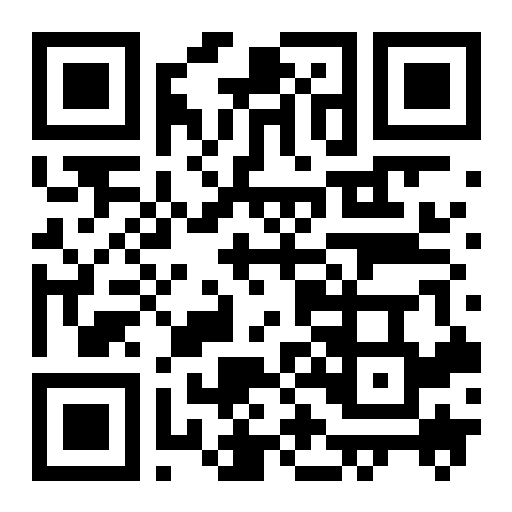
Scan the QR code with your phone's camera. The card goes straight into that phone's wallet - so it needs a phone, not a computer.
You're on your phone, so it's one tap: